Saving Facebook Videos for Offline Travel: A Practical Guide
You’re about to board a 12-hour flight, and the cooking tutorial your friend posted last week might vanish before you land.
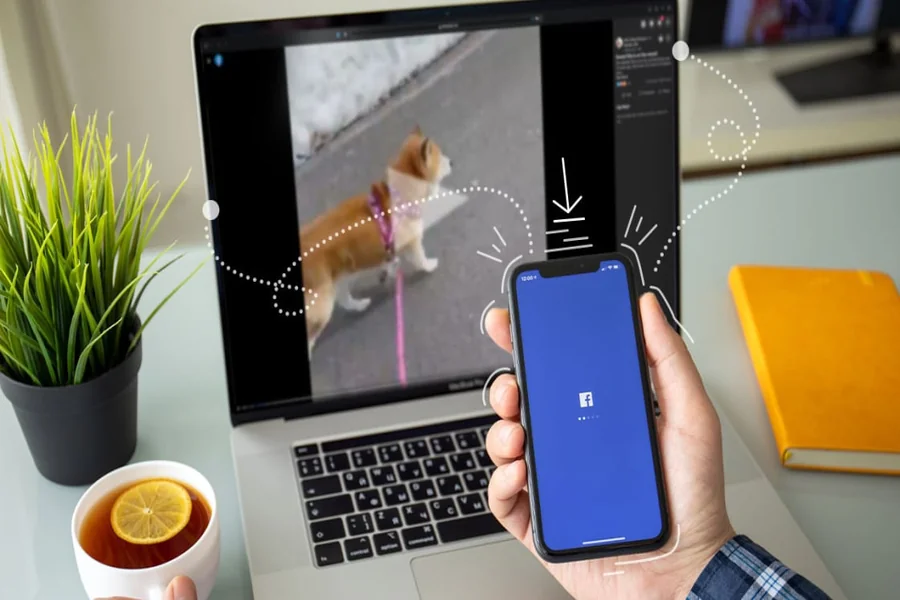
A Facebook downloader like fGet helps you keep those clips on your phone, ready to play without any signal.
Travelers deal with spotty hotspots and weak airport Wi-Fi. Mobile data abroad is often capped. Posts can also disappear when accounts go private or get suspended. A reliable Facebook downloader removes the uncertainty by saving each file beforehand.
How the fGet Facebook downloader works
The web-based tool processes each request on the server, so nothing is installed on your device. It returns a clean MP4 (video file format) ready for offline playback.
Four steps cover the full Facebook video download flow:
- Copy the video URL from the post by tapping the share button on Facebook.
- Paste the link into the input field on the fget.io homepage.
- Pick a resolution — HD when the source allows it, lower for tight storage.
- Tap the download button. The file lands in your default download folder.
The flow asks for no email and no account. The clip lands in seconds.
Because the file pulls directly from Facebook, you get a facebook video download without watermark by default.
How a web Facebook video downloader compares with other methods
Several approaches exist for saving a clip before a trip. Each carries different tradeoffs worth weighing.
| Method | Time per clip | Output quality | Setup cost |
|---|---|---|---|
| Screen recording | Equal to clip length | Lossy, captures app UI | None, but locks the device |
| Browser extension | A few seconds | Variable | Installed software, broad permissions |
| Phone screen capture | Equal to clip length | Lossy, audio gaps possible | None |
| fGet web tool | A few seconds | Original resolution when available | Zero install, no account |
The web path keeps phone storage lean and personal data private. fGet runs on Android, iOS, tablets, and desktop browsers.
Cross-device compatibility means you can save on a laptop in the morning and finish queuing on a phone before boarding.
Why it matters in the departure lounge
Faster pre-trip prep means less scrambling at the gate. Download Facebook video clips in batches, then play them seat-back style.
Offline access also sidesteps the sluggish Wi-Fi most airlines charge for. Each Facebook download lands as a clean MP4 that plays without buffering, even in airplane mode.
Audio extraction also helps when you only need the soundtrack from a video post, such as a piece of music or a podcast clip.
Researchers archive footage. Parents preserve a niece’s dance recital. Creators reuse their own posts. The same fb video download pattern fits every case.
For a quick fb download that respects your privacy and skips the install step, fGet handles trip prep in roughly three taps.